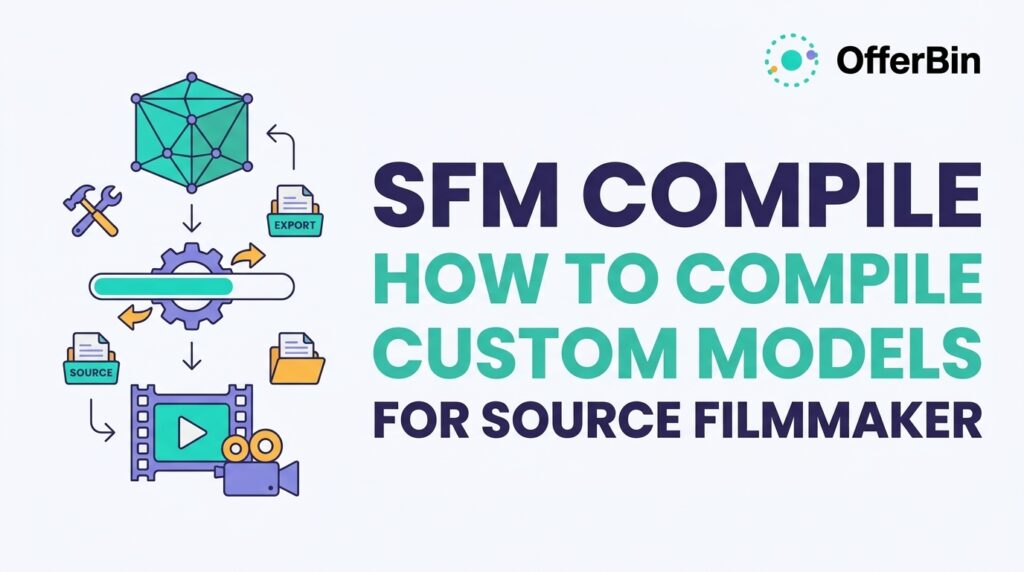
If you have a custom 3D model that looks correct in Blender or another modeling program but refuses to appear properly in Source Filmmaker (SFM), the problem may not be the model itself. Source Filmmaker uses Source Engine model formats, so a custom asset generally needs to pass through an export, QC setup, compilation, and installation workflow before SFM can use it.
SFM compile is the process of turning source model data and a QC script into the compiled files that Source Filmmaker can load. The workflow commonly involves SMD or DMX files, a QC file, materials and textures, and a Source model compiler such as studiomdl.exe. Crowbar can provide a graphical interface around the compilation process.
This guide explains the entire process, including QC files, StudioMDL, Crowbar, model folders, textures, common errors, custom characters, and troubleshooting.
What Is SFM Compile?
SFM compile is the process of converting an exported 3D model and its instructions into Source Engine model files that Source Filmmaker can recognize.
A simplified workflow looks like this:
3D model → SMD/DMX export → QC file → StudioMDL/compiler → compiled model files → SFM
The QC file tells the compiler how the model should be built. It can define the output model name, source mesh, materials, animations, collision model, and other model properties.
Valve’s StudioMDL documentation describes the QC file as the input used by the model compiler.
The important distinction is that exporting a model and compiling a model are not the same thing.
Your modeling software creates or exports the source asset. The Source model compiler then converts that source information into the format expected by the Source Engine.
Why Do Models Need to Be Compiled for SFM?
Source Filmmaker does not simply load every modern 3D format directly.
A model created in Blender, Maya, or another 3D package has to be prepared for the Source Engine pipeline. Depending on the workflow, that can involve exporting geometry and animation data into SMD or DMX, preparing textures and materials, creating a QC script, and compiling the model.
The compiler then generates the Source model files used by the game or application.
This is why dropping a .blend, .fbx, or another raw modeling file into an SFM folder does not automatically make it appear in the model browser.
The basic pipeline
| Stage | Main purpose |
|---|---|
| Blender/Maya/3D software | Create or modify the model |
| SMD/DMX | Export Source-compatible model data |
| QC | Tell the compiler how to build the model |
| StudioMDL | Compile the model |
| Crowbar | Provide a convenient interface for Source modding workflows |
| VTF/VMT | Handle Source textures and materials |
| SFM | Load and use the compiled asset |
Crowbar’s source repository describes it as a GoldSource and Source Engine modding tool, while its compiler implementation works with the configured game compiler and QC input.
SFM Compile Workflow at a Glance
A reliable custom-model workflow can be divided into these stages:
- Create or obtain the 3D model.
- Prepare the model’s scale, skeleton, materials, and geometry.
- Export the model as SMD or DMX when required by the chosen workflow.
- Prepare the textures and Source materials.
- Create a QC file.
- Point the QC file to the correct model and material paths.
- Compile the QC file with StudioMDL or through Crowbar.
- Check the compilation log for errors.
- Place the generated files in the appropriate SFM game directory.
- Open SFM and test the model.
- Fix any material, skeleton, animation, or path problems.
- Recompile and test again.
The most important idea is to treat compilation as a pipeline, not a single button click.
A failure near the beginning can create errors that only become visible at the end.
What Files Are Used in SFM Model Compilation?
Understanding the file types makes troubleshooting much easier.
SMD Files
SMD is a Source model-data format commonly used for exchanging mesh, skeleton, and animation information within Source model workflows.
Depending on the model, you may have separate SMD files for:
- Reference geometry
- Animation sequences
- Physics
- Other model components
The exact setup depends on the QC script and the asset.
DMX Files
DMX is another format used in Source workflows for model and animation data.
It can store information about objects, transforms, skeletons, and other elements in a structured format.
For SFM creators, the practical point is simple:
SMD and DMX are source-side model data formats; they are not the same thing as the final compiled MDL asset.
QC Files
A QC file is a plain-text compilation script.
It tells the model compiler what to do.
A QC file can contain instructions for things such as:
- Output model name
- Reference mesh
- Materials
- Animations
- Body groups
- Collision model
- Surface properties
- Bone behavior
- Flexes and other model features
A simplified example might look like:
$modelname "custom/example_model.mdl"

$body "Body" "example.smd"

$cdmaterials "models/custom"

$sequence "idle" "idle.smd" fps 30
This is only an illustrative structure. A real model may require additional commands depending on its skeleton, animations, physics, materials, and other requirements.
MDL Files
The .mdl file is the main compiled model file that Source-based applications use to identify and load a model.
However, a working Source model can involve additional generated files.
VVD, VTX and PHY Files
A Source model can also produce supporting files such as:
.vvd.vtx.phy
The exact set depends on the model and compilation requirements.
Crowbar’s compiler code explicitly handles compiled Source model outputs including MDL, PHY, VTX and VVD files.
VTF Files
VTF stands for Valve Texture Format.
It is used for Source Engine texture data.
If your model compiles successfully but displays missing or incorrect textures, the problem may be somewhere in the texture conversion or material path rather than the model compilation itself.
VMT Files
VMT files define Source materials and tell the engine how a texture should be used.
For example, a material may reference a VTF texture through a $basetexture path.
The important relationship is:
VMT material → VTF texture
while the model’s QC configuration tells the compiled model where its materials are expected to be found.
What Tools Do You Need to Compile a Model for SFM?
The exact toolchain depends on the model and workflow, but common components include:
Source Filmmaker
SFM is the application where you ultimately want the finished asset to work.
Its installation includes Source-related tools used by the SFM workflow.
StudioMDL
StudioMDL is Valve’s model compiler used by Source Engine workflows.
The compiler takes the QC instructions and associated source files and creates the compiled model output.
Crowbar
Crowbar is a popular graphical tool for Source Engine modding workflows.
Instead of manually handling every compiler command from a command prompt, Crowbar provides a GUI for tasks such as compiling and decompiling Source models.
The Crowbar project identifies itself as a GoldSource and Source Engine modding tool, and its source code shows that its compiler workflow invokes the configured game model compiler.
Blender or Another 3D Application
You need a modeling package if you are creating the asset yourself.
Blender is commonly used because it can be combined with Source-oriented export tools.
Texture Tools
Source materials may require texture conversion and material setup rather than simply copying modern image files into the game directory.
The texture workflow therefore needs to be treated separately from model compilation.
How to Compile a Custom Model for SFM
Step 1: Prepare the 3D Model
Start with a model that has:
- Correct geometry
- Appropriate scale
- A usable skeleton if it is a character
- Proper bone weights
- Correct UVs
- Working textures
- Reasonable polygon complexity
- Correct animation data if animations are required
For a simple static prop, the workflow can be much easier because you may not need a character skeleton or animation sequences.
For a custom character, expect significantly more preparation.
Step 2: Export the Model
Export the model into a Source-compatible format supported by your workflow.
SMD and DMX are common options.
The export should preserve the information you actually need:
- Mesh
- Skeleton
- Bone weights
- Materials
- Animations
Do not assume that an export that looks correct in the 3D application is automatically ready for Source compilation.
Step 3: Organize the Project
Keep the working files organized before creating the QC.
A simple project might look like:
my_model/
├── my_model.qc
├── my_model.smd
├── idle.smd
└── materials/
    └── models/
        └── custom/
            ├── my_model.vtf
            └── my_model.vmt
Your actual directory structure can differ depending on your workflow.
The important thing is that the paths referenced by the QC and VMT files must correspond to the files’ actual locations.
Step 4: Prepare the Textures
Model compilation and texture setup are related, but they are separate problems.
A model can compile successfully and still show missing textures.
Check:
- Texture filename
- VTF location
- VMT location
$basetexturepath- Material directory
- Capitalization and spelling
- Folder hierarchy
For example, if a VMT references:
$basetexture "models/custom/robot"
the corresponding texture needs to exist at the appropriate location under the Source materials directory.
Do not add the .vtf extension to the $basetexture path unless the particular shader parameter requires something different.
Step 5: Create the QC File
The QC file connects your exported model to the compiler.
A simplified example:
$modelname "custom/my_model.mdl"

$body "Body" "my_model.smd"

$cdmaterials "models/custom"

$sequence "idle" "idle.smd" fps 30
Each line has a purpose.
$modelname defines the output model path.
$body identifies the model geometry.
$cdmaterials tells the compiler where the model’s materials are located relative to the Source materials structure.
$sequence defines an animation sequence.
A character QC may contain many additional commands.
Step 6: Compile the QC File
You can use StudioMDL directly or use a tool such as Crowbar to make the process easier.
With Crowbar, the general workflow is:
- Open Crowbar.
- Go to the compile section.
- Select the appropriate game configuration.
- Select the QC file.
- Start compilation.
- Watch the compile log.
- Investigate any errors before installing the output.
Crowbar’s source code shows that it validates the configured compiler and game path, processes QC files, and handles compiled model output paths.
Step 7: Read the Compile Log
Do not ignore compiler warnings and errors.
The log can tell you whether the problem occurred with:
- A missing SMD
- A bad QC command
- A material path
- A missing animation
- A skeleton
- A physics model
- A model output path
- Compiler limitations
A successful-looking interface is not enough.
The model itself needs to be tested in SFM afterward.
Step 8: Install the Compiled Model
The compiled files need to be placed in a game directory that SFM can access.
The exact location depends on how your SFM installation and custom-content setup are configured.
Keep the model hierarchy consistent.
For example:
game/
└── usermod/
    ├── models/
    │   └── custom/
    │       └── my_model/
    │           ├── my_model.mdl
    │           ├── my_model.vvd
    │           ├── my_model.vtx
    │           └── my_model.phy
    │
    └── materials/
        └── models/
            └── custom/
                └── my_model/
                    ├── my_model.vmt
                    └── my_model.vtf
Treat this as a conceptual example rather than a universal required directory structure.
Your QC’s $modelname and material paths determine where the resulting asset belongs.
Step 9: Test the Model in SFM
Open Source Filmmaker and check:
- Does the model appear?
- Does the model load?
- Are textures visible?
- Is the skeleton correct?
- Are bones positioned correctly?
- Does the model have the expected animations?
- Does physics behave correctly?
- Are flex controls available if required?
If something fails, go back through the pipeline rather than immediately rewriting the entire model.
How Does a QC File Control SFM Model Compilation?
The QC file is effectively the compiler’s instruction sheet.
Think of the 3D model as the raw material and the QC as the build instructions.
For example:
$modelname
defines the output model name.
$body
connects model geometry to the compile.
$cdmaterials
points the compiler toward material directories.
$sequence
defines an animation sequence.
Other QC commands can control physics, body groups, bones, flexes, animations and additional model behavior.
Because the QC controls so much of the compilation process, a tiny path or filename error can prevent an otherwise valid model from compiling.
Valve’s StudioMDL documentation is the appropriate primary reference when you need to verify what a particular QC command does.
SFM Model Folder Structure
Folder structure is one of the easiest places to make mistakes.
A useful mental model is to separate the asset into two major branches:
models/
└── custom/
    └── character/
        └── character.mdl

materials/
└── models/
    └── custom/
        └── character/
            ├── character.vmt
            └── character.vtf
The model and material systems use different directories.
Putting a VTF texture inside models/ does not make it a valid material automatically.
Likewise, compiling an MDL successfully does not guarantee that its VMT and VTF files are in the correct locations.
Why Is My SFM Model Not Showing?
If the model does not appear in SFM, check the problem in this order.
1. Did the model actually compile?
Look at the compiler log.
If StudioMDL or Crowbar reports an error, fix that first.
2. Is the MDL in a readable game directory?
Check that the compiled model was placed somewhere SFM can access.
3. Is the model path correct?
Compare the $modelname path in the QC with the resulting file location.
4. Are the supporting files present?
A model may require supporting files generated during compilation.
5. Did you restart or refresh the appropriate SFM content view?
If the application was already open while files were being changed, refresh or restart where appropriate.
6. Is the QC referencing the correct files?
Check every filename and relative path.
7. Does the model work in another Source-compatible viewer or environment?
If the model fails outside SFM as well, the problem is likely further upstream in compilation or asset preparation.
Why Are My SFM Textures Missing?
Missing textures usually point toward the material pipeline rather than the geometry.
Check the complete chain:
Model → material reference → VMT → VTF
For example:
character.mdl
       ↓
character material
       ↓
character.vmt
       ↓
character.vtf
Check for:
- Wrong VMT filename
- Wrong VTF filename
- Incorrect
$basetexture - Incorrect material folder
- Missing VTF
- Missing VMT
- Typographical errors
- Incorrect capitalization
- Wrong relative path
Do not immediately recompile the entire model if only the texture is broken.
First verify the material files.
SFM Custom Model Compilation Errors
Compilation errors vary, but several categories appear repeatedly.
| Problem | Likely area to inspect |
|---|---|
| QC file not found | File path |
| SMD missing | Export/file location |
| Model does not compile | QC or source model |
| Missing texture | VMT/VTF/material path |
| Invalid bone | Skeleton/weights/QC |
| Animation fails | Sequence SMD or skeleton |
| Physics fails | Collision model/QC |
| Model appears but looks wrong | Skeleton, scale, materials |
| Model loads without textures | Material setup |
| Compiler reports a path error | QC path or directory structure |
| Model does not appear in SFM | Output location or model definition |
Do not treat every compiler message as the same problem.
The fastest troubleshooting method is to identify which stage of the pipeline failed.
SFM Custom Character Compilation
Characters are more complicated than simple props because they usually involve:
- Skeletons
- Bones
- Skin weights
- Reference geometry
- Animations
- Facial controls
- Materials
- Physics
- Flexes
A useful character workflow is:
Character mesh → skeleton → weights → Source export → QC → compile → animation → SFM test
👉If the character is rigid or has broken deformation, investigate the skeleton and bone weights before changing textures.
If the character appears correctly but has no expected animations, inspect the animation SMD/DMX files and the $sequence definitions.
If facial controls are missing, investigate the flex and facial-animation setup separately.
SMD vs DMX for SFM
SMD and DMX are both associated with Source asset workflows, but they should not be treated as interchangeable magic formats.
| Feature | SMD | DMX |
|---|---|---|
| Source workflow | Yes | Yes |
| Mesh data | Yes | Yes |
| Skeleton-related data | Yes | Yes |
| Animation workflows | Common | Common |
| Simple to understand | Often | Depends on workflow |
| Used in custom model pipelines | Yes | Yes |
The right choice depends on the modeling software, exporter, asset type, and particular Source workflow.
The important point is to use an export format and toolchain that preserve the information your final SFM asset needs.
Crowbar vs StudioMDL
These tools are often confused.
StudioMDL
StudioMDL is the model compiler.
It performs the actual compilation of the QC and model data.
Crowbar
Crowbar is a Source Engine modding utility that can provide a graphical workflow around compilation and other model-related tasks.
So the simplified relationship is:
QC + source assets → StudioMDL → compiled Source model
while:
Crowbar → interface/workflow that can invoke the appropriate compiler and manage related operations
Crowbar’s own source code supports this distinction by showing the application locating and invoking the configured game compiler while processing QC files.
Compiling vs Installing vs Using a Model in SFM
These are three separate stages.
Compiling
Turns source model data into Source-compatible compiled files.
Installing
Places those compiled files and their associated materials where the application can access them.
Using
Loads the model into an SFM session and verifies that its geometry, materials, skeleton and animation behave correctly.
A model can therefore:
- Compile successfully but fail to appear.
- Appear but have missing textures.
- Load correctly but have broken bones.
- Have correct geometry but missing animations.
This distinction is extremely useful when troubleshooting.
Common SFM Compile Mistakes
Using the wrong game path
The compiler needs to know which Source game environment it is targeting.
Putting files in the wrong directory
A perfectly compiled model can still be invisible if it is outside a directory SFM can read.
Incorrect material paths
The model can load while textures fail.
Forgetting supporting compiled files
Do not assume the MDL alone is always enough.
Editing the wrong QC file
If multiple versions exist in different folders, it is easy to compile an older copy accidentally.
Ignoring the compile log
The log often provides the first useful clue.
Changing too many things at once
If you change the QC, folder structure, textures and model simultaneously, it becomes difficult to identify what fixed or caused the problem.
Change one logical part of the pipeline at a time.
A Better SFM Model Compilation Workflow
For repeatable projects, create a clean working structure before compiling.
Keep:
- Source model files
- Exported SMD/DMX
- QC files
- Texture sources
- VTF/VMT files
- Compiler logs
- Final compiled files
in clearly separated locations.
For every model, keep a known-good QC template and modify it for the specific asset rather than rebuilding the entire file from scratch.
Also keep backups of working versions.
That makes it easier to determine whether a new change introduced the problem.
SFM Compile Troubleshooting Checklist
When a custom model fails, use this checklist:
Model
- Is the geometry valid?
- Is the scale reasonable?
- Are UVs correct?
- Are normals correct?
- Is the skeleton valid?
- Are weights assigned correctly?
Export
- Did the SMD/DMX export complete?
- Are all required files present?
- Were animations exported separately if needed?
QC
- Is the QC saved with the correct extension?
- Does
$modelnamepoint to the intended output? - Does
$bodyreference the correct model file? - Are material paths correct?
- Are sequence files present?
Compilation
- Is the correct compiler being used?
- Is the correct game configuration selected?
- Does the compiler log contain errors?
- Did the compiler generate the expected files?
Installation
- Is the MDL in a readable models directory?
- Are supporting compiled files present?
- Are VMT/VTF files in the appropriate materials hierarchy?
SFM
- Does the model appear?
- Do textures load?
- Are bones correct?
- Do animations work?
- Are facial controls available?
- Does the model behave correctly in a scene?
This systematic approach is usually more effective than repeatedly recompiling without identifying the failed stage.
Frequently Asked Questions
What does SFM Compile mean?
SFM compile refers to converting Source-compatible model data and a QC script into compiled Source Engine model files that Source Filmmaker can load. The process commonly uses StudioMDL, with tools such as Crowbar providing a graphical interface around the workflow.
How do I compile a custom model for SFM?
Prepare the model, export it as SMD or DMX, create a QC file, configure its model and material paths, compile the QC using StudioMDL or Crowbar, check the log, place the resulting files in an accessible SFM game directory, and test the model.
Is Crowbar the SFM model compiler?
Not exactly. Crowbar is a Source Engine modding tool that provides a graphical workflow for tasks including compilation. StudioMDL is the underlying model compiler used by the Source workflow.
What is a QC file?
A QC file is a text-based script that tells the Source model compiler how to build a model. It can specify the output model name, geometry, materials, animations, physics and other model properties.
Why does my SFM model not appear?
Start by checking whether compilation completed successfully, whether the generated model files are in a directory SFM can read, and whether the $modelname and folder structure are correct.
Why does my SFM model have missing textures?
Check the VMT and VTF files, their folder locations, and the material paths referenced by the model. A successful model compile does not guarantee that the texture pipeline is correct.
Can Blender models be used in SFM?
Yes, Blender can be part of an SFM custom-model workflow, but the model generally needs to be prepared and exported into a Source-compatible workflow before it can be compiled and loaded by SFM.
What files does SFM use for compiled models?
A Source model can involve an MDL file along with supporting files such as VVD, VTX and PHY, depending on the asset and compilation setup. Crowbar’s Source compilation code explicitly handles these compiled file types.
What should I check first when a compile fails?
Start with the compiler log. Look for the first meaningful error rather than trying to fix every warning simultaneously. Then trace the problem back to the QC, source model, animation, material or file path involved.
Final SFM Compile Checklist
Before considering a custom model finished, verify:
- The model was exported correctly.
- SMD/DMX files are present.
- The skeleton and weights work.
- The QC file uses correct paths.
- The material paths are correct.
- VMT files exist.
- VTF files exist.
- The model compiles without critical errors.
- Generated model files are present.
- The model is installed in a readable SFM directory.
- The model appears in SFM.
- Textures display correctly.
- Bones behave correctly.
- Animations work when required.
- Physics works when required.
- Flexes/facial controls work when required.
Conclusion
SFM compilation becomes much easier once you stop treating it as a single compiler button and start viewing it as a pipeline.
The core process is:
Prepare the model → export Source-compatible data → create the QC → compile with StudioMDL/Crowbar → check the output → install the files → test in SFM → troubleshoot the failed stage.
The QC file is particularly important because it connects your source assets with the compiler. File paths are equally important because a correctly compiled model can still fail to load or display materials when its files are placed incorrectly.
For advanced custom characters, the same basic workflow remains useful, but skeletons, weights, animations, flexes and physics introduce additional layers of complexity.
The best troubleshooting habit is simple: identify which stage failed before changing the entire project. That turns SFM model compilation from trial and error into a repeatable workflow.